
AI Overview:
Email security is essential as 90% of cyberattacks start in the inbox. Phishing, BEC, ransomware, and zero-day threats easily bypass basic filters in Microsoft 365 and Google Workspace, leaving businesses exposed. Modern email security software uses AI, behavioral analysis, sandboxing, and authentication tools like DMARC and SPF to stop advanced attacks before they reach users.
This guide explains today’s most common email threats, compares SEG vs. API-based solutions, outlines key features to look for, and highlights why employee training is just as important as technology for building a strong, layered defense.
Why Email Security is Non-Negotiable in Today’s Threat Landscape
Email security software is essential for protecting organizations from cyber threats that target email, their most-used communication channel. These solutions use advanced technologies like AI and machine learning to block phishing, malware, and business email compromise (BEC) that often bypass basic filters.
Key Types of Email Security Software:
- Secure Email Gateways (SEG) – Filter threats before emails reach your server.
- API-Based Solutions – Integrate directly with cloud email platforms like Microsoft 365 and Google Workspace.
- Cloud-Native Platforms – Provide comprehensive protection with minimal infrastructure.
- Hybrid Solutions – Combine multiple approaches for layered defense.
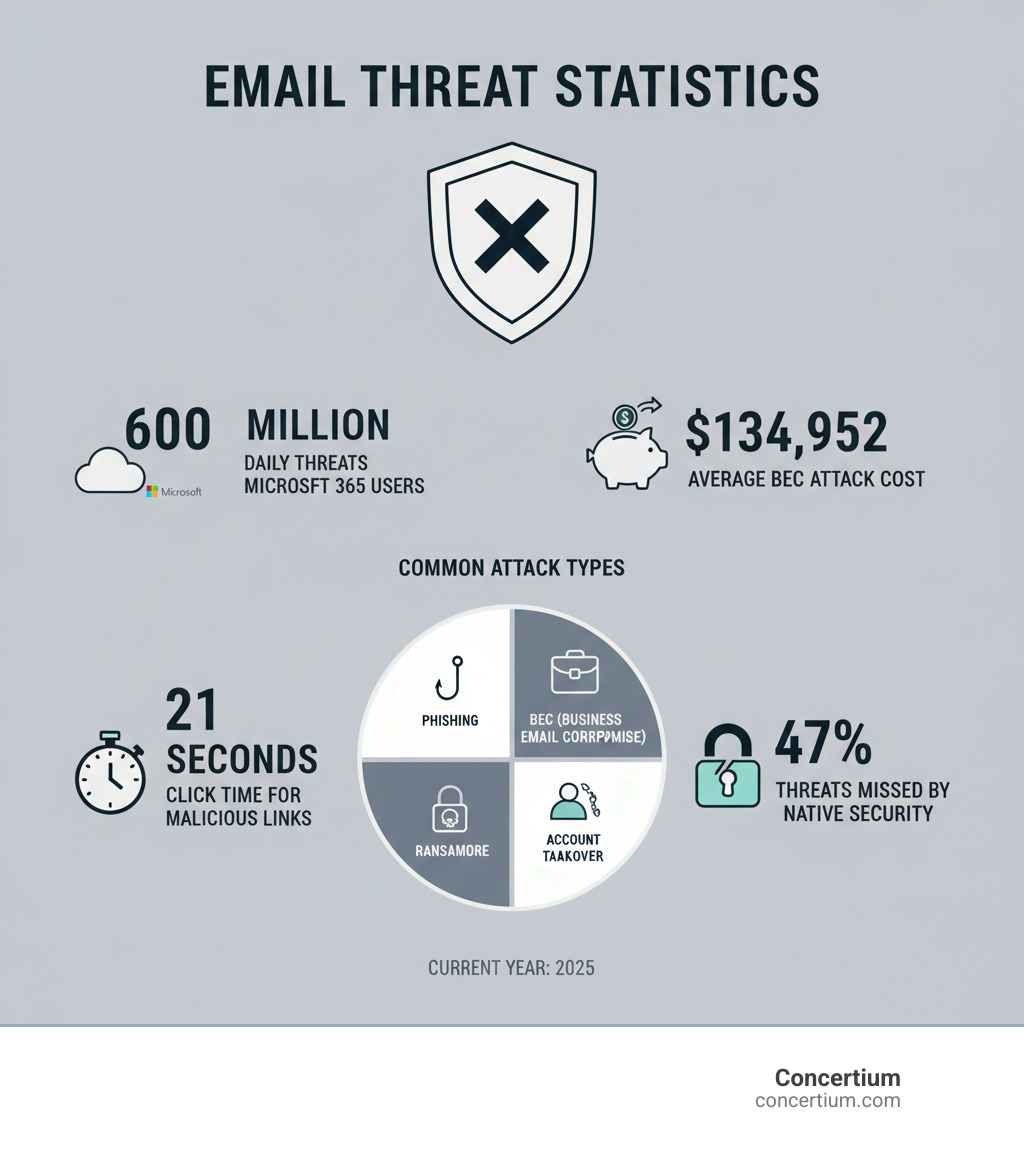
Your inbox is the primary attack vector for 90% of successful cyberattacks. Cybercriminals exploit human nature with sophisticated phishing campaigns and malware that slip past traditional spam filters. The stakes are high: the average cost of a BEC attack is over $134,000, and it takes just 21 seconds for a user to click a malicious link.
Modern email security software addresses these vulnerabilities with multi-layered protection that goes far beyond basic spam filtering, creating an adaptive defense system that evolves with emerging threats.
The High Stakes and Gaps in Default Protection
Email is indispensable, but it’s also a prime target. A single click on a malicious link can expose an entire organization to devastating consequences, including financial loss, data breaches, reputational damage, and operational disruption. Attackers constantly evolve their social engineering tactics to trick even vigilant employees, making it a matter of when, not if, an employee will encounter a convincing threat. Understanding these Common Types of Cyber Attacks is the first step toward building a robust defense.
Many organizations rely on the default security in platforms like Microsoft 365 or Google Workspace. While helpful, these native protections are often insufficient against advanced threats. Industry research indicates that nearly half of all email threats are missed by these native security features. This gap leaves businesses exposed to sophisticated attacks designed to slip through standard filters.
This is why a layered defense strategy is essential. Augmenting basic protections with dedicated, third-party email security software provides the specialized capabilities needed to detect and respond to threats that native systems overlook. Embracing Cloud-Based Cybersecurity Solutions offers the flexibility and power needed to stay ahead of adversaries.
The Anatomy of an Email Attack: Common Threats to Neutralize
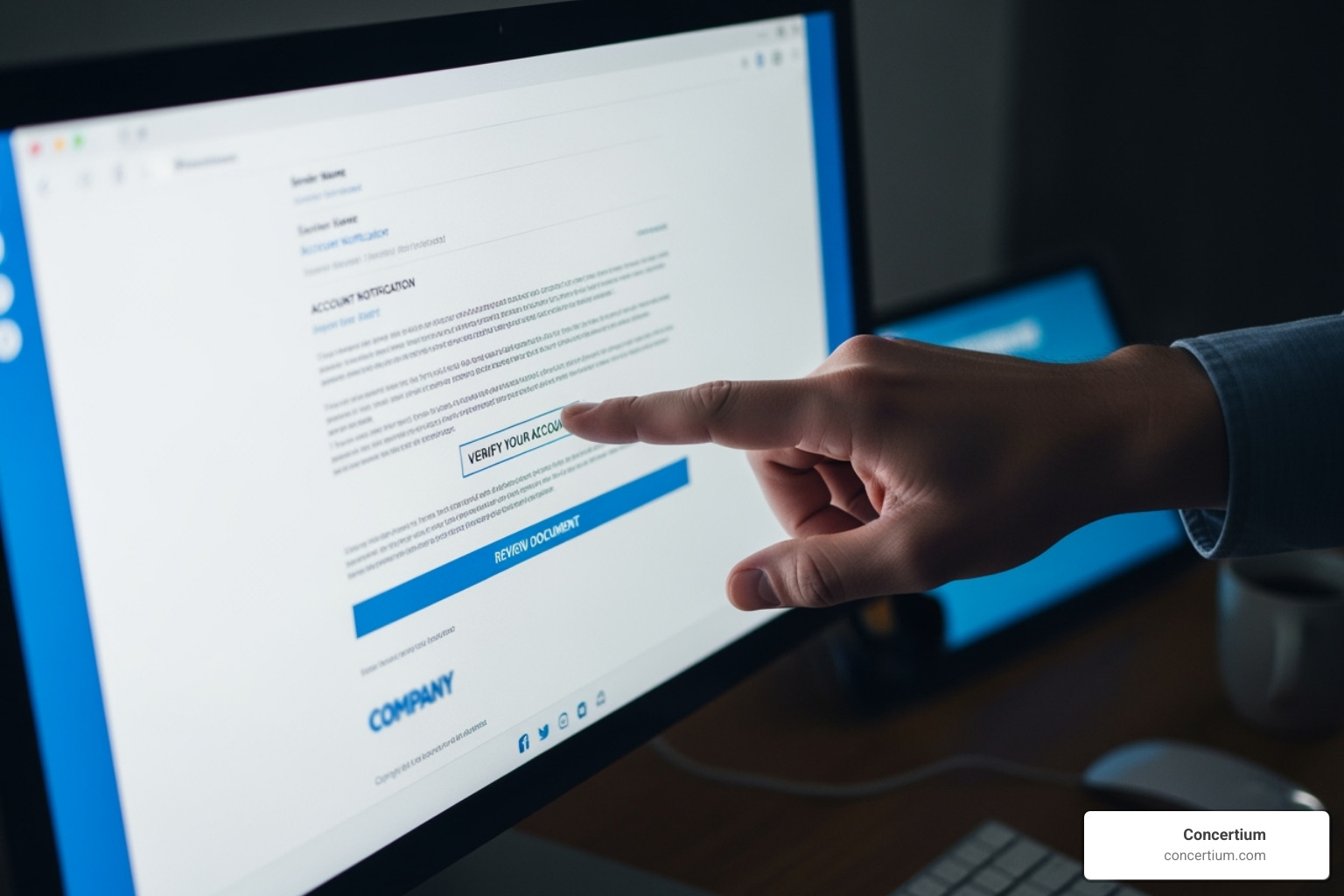
Cybercriminals have turned email into their favorite hunting ground, constantly evolving their tactics to fool employees. Understanding these common threats is the foundation for building effective defenses with robust email security software.
- Phishing & Spear-Phishing: Attackers masquerade as trustworthy entities to steal credentials. Spear-phishing takes this further by using personalized messages based on research about the target.
- Business Email Compromise (BEC): Also known as “CEO fraud,” these attacks involve impersonating executives to authorize fraudulent wire transfers or data exfiltration.
- Ransomware & Malware: These malicious payloads arrive as seemingly innocent attachments or links, ready to encrypt files or infiltrate your systems.
- Account Takeover (ATO): Attackers gain control of a legitimate email account to launch attacks from a trusted source.
- Zero-Day Exploits: These attacks leverage unknown software vulnerabilities that have not yet been patched.
All these attacks rely on Social Engineering—the psychological manipulation that convinces people to bypass their better judgment.

Business Email Compromise (BEC) and Impersonation
BEC attacks rely on pure deception rather than malware. Attackers impersonate trusted individuals to trick employees into making costly mistakes. Common forms include:
- CEO Fraud: An employee receives an urgent email, seemingly from their CEO, requesting an immediate wire transfer or sensitive data.
- Invoice Scams: Criminals impersonate known vendors, sending fraudulent invoices with altered banking details.
- Executive Impersonation: Attackers pose as other leaders (HR, legal, IT) to request confidential information or system access.
- Supply Chain Compromise: After compromising a vendor’s email, attackers send malicious emails to the vendor’s clients from a genuinely trusted source.
With the average BEC attack costing over $134,000, effective email security software must use anomaly detection to analyze communication patterns and flag unusual requests, even if they come from a legitimate address. This is also key to Protecting Your Organization from Insider Attacks.
Malicious Payloads: Malware and Ransomware
Many email threats deliver malicious software designed to infiltrate and damage your systems. These payloads are hidden inside seemingly harmless files or links.
- Malicious Attachments: Attackers embed malware in common file types like PDFs, Word documents, and Excel spreadsheets, which can install keyloggers or create backdoors into your network.
- Dangerous Links: It takes just 21 seconds for a user to click a malicious link. These URLs can lead to credential-harvesting sites or trigger “drive-by downloads” that install malware automatically.
- Ransomware: This malicious software encrypts your files, rendering them unusable until a ransom is paid. Even after payment, data recovery is not guaranteed.
Modern email security software uses sandboxing to combat these threats. This technology opens suspicious attachments and links in an isolated virtual environment to observe their behavior and neutralize them before they reach an employee’s inbox. This proactive approach is crucial for stopping new malware variants and is a defense against tactics like those in a What is Baiting Attack?.
The Ultimate Email Security Software Feature Roundup
Effective email security software operates like a team of specialists, using multiple layers of protection to keep threats at bay. This comprehensive approach separates basic filtering from true Advanced Threat Protection, ensuring that if one defensive layer fails, others are ready to catch what slips through.
Foundational Defenses in Email Security Software
These core features form the bedrock of protection that every organization needs:
- Spam & Antivirus Filtering: The first line of defense, blocking known malicious messages, attachments, and links based on signature databases.
- Content Disarm & Reconstruction (CDR): Proactively strips potentially dangerous elements (like macros and scripts) from attachments and rebuilds a safe, clean version of the file.
- Email Encryption: Protects sensitive communications by making them unreadable to anyone but the intended recipient.
- Data Loss Prevention (DLP): Monitors outbound emails to prevent sensitive information like credit card numbers or patient records from leaving the network, which is essential for What is Data Security Compliance?.
- Outbound Filtering: Protects your organization’s reputation by ensuring your email accounts are not used to send spam or malware.
AI-Powered Advanced Threat Protection
As cybercriminals use AI to create more convincing attacks, our defenses must be equally sophisticated. This is where AI and Automated Threat Detection becomes crucial.
- Machine Learning Models: Analyze millions of emails to identify patterns and detect zero-day attacks by recognizing suspicious behaviors rather than known signatures.
- Behavioral Analysis: Learns what “normal” communication looks like for your organization and flags anomalies, such as an employee suddenly sending unusual requests.
- Social Graphing: Maps internal communication patterns to identify when an email, such as a CEO impersonation attempt, deviates from typical interactions.
- Predictive Defense: Analyzes global threat intelligence and local patterns to anticipate and prevent attacks before they fully materialize, a key benefit of Cybersecurity Predictive Analytics Game Changers.
Authentication and Anti-Impersonation Controls
These features verify sender legitimacy to stop impersonation attacks that exploit trust in familiar names and domains.
- DMARC, DKIM, & SPF: This trio of authentication standards works together to verify that an email is from an authorized server and has not been tampered with.
- BIMI (Brand Indicators for Message Identification): Displays a verified brand logo next to authenticated emails, providing a visual cue of legitimacy.
- Header & Lookalike Domain Analysis: Scrutinizes technical email data for red flags and detects fraudulent domains that mimic legitimate ones (e.g.,
c0mpany.comvs.company.com). - User Behavior Monitoring: Complements technical checks by flagging emails that deviate from a contact’s normal communication style or request unusual actions.
These controls are fundamental to establishing robust Identity Threat Detection and Response in your email environment.
How to Choose the Right Email Security Solution
Choosing the right email security software depends on your organization’s unique needs. Factors like business size, budget, industry regulations, and scalability are all critical. A healthcare organization focused on HIPAA has different priorities than a tech startup. A Cybersecurity Risk Assessment Services can help identify your specific vulnerabilities and requirements.
| Feature | Secure Email Gateway (SEG) | API-Based Solutions |
|---|---|---|
| Deployment Method | MX record change (redirects all email traffic) | API integration with cloud email provider (e.g., M365, GWS) |
| Threat Detection Point | Before email reaches the inbox (in-line) | After email reaches the inbox, then remediated (out-of-band) |
| Visibility | External inbound/outbound traffic only | Internal, external, and historical email traffic |
| Remediation | Blocks threats before delivery | Removes malicious emails post-delivery |
| Complexity | Can be more complex to manage, potential for latency | Often simpler to deploy, less impact on mail flow |
| Primary Use Case | Traditional perimeter defense, strong first line of defense | Advanced threats, internal email security, M365/GWS integration |
Secure Email Gateway (SEG) vs. API-Based Integration
The choice between a Secure Email Gateway (SEG) and an API-based solution is a key architectural decision.
- Secure Email Gateways (SEGs) act as a perimeter defense, rerouting all email traffic (via an MX record change) through their servers to filter threats before they reach your network. They are a strong first line of defense but have limited visibility into internal email traffic and can sometimes introduce mail flow delays.
- API-based solutions integrate directly with cloud email platforms like Microsoft 365 and Google Workspace. They are simple to deploy (no MX record changes) and offer deep visibility into internal and historical email traffic. This makes them highly effective at detecting lateral phishing and performing post-delivery remediation—yanking malicious emails from inboxes after delivery. This is a core component of modern Cloud Threat Protection.
Many modern solutions offer a hybrid approach, combining the strengths of both architectures.
Evaluating Vendors and Pricing Models
When evaluating vendors, look beyond marketing claims to assess true security capabilities. Here’s what to consider:
- Pricing Models: Most vendors use a per-user-per-month model, often with tiered plans (e.g., Basic, Advanced). Be prepared for custom quotes, as transparent pricing is uncommon in the enterprise space.
- Free Trials and Demos: Always take advantage of trials to see how a solution performs with your actual email traffic and user behavior.
- Support and Onboarding: Excellent customer service is non-negotiable. Ensure the vendor provides robust onboarding assistance and 24/7 support for when issues arise.
- Track Record: Choose a partner with a proven history of evolving their defenses to combat emerging threats.
For help with budgeting, our guide on How Much Does Cybersecurity Cost? provides realistic planning insights.
Beyond the Software: Building a Human Firewall

Even the most advanced email security software can’t stop a user from clicking a malicious link. Humans are often the most vulnerable entry point, which is why changing your employees into a “human firewall” is critical. This involves creating a security-conscious culture where protecting data is everyone’s responsibility.
Key components of a human firewall include:
- Engaging User Training: Go beyond annual PowerPoint sessions. Use ongoing, bite-sized learning modules and real-world scenarios to teach employees why security matters.
- Phishing Simulations: Send safe, simulated phishing emails to test employees. Clicks become teachable moments, helping identify who needs more training.
- Easy Reporting: Provide a simple, one-click button for employees to report suspicious emails without fear of judgment. Celebrate this cautious behavior.
- Real-Time Coaching: Some modern security tools provide in-the-moment warnings when users interact with suspicious emails, helping them develop better security instincts over time.
To see where your team stands, our Email Security Quiz can help identify knowledge gaps. To Implement Security Awareness Training is an ongoing journey, not a one-time project.

Meeting Regulatory and Compliance Mandates
Email security software is also a critical tool for meeting compliance requirements and avoiding devastating fines. Failing to secure email can lead to severe legal and financial penalties.
- HIPAA: Healthcare organizations must encrypt any email containing Electronic Protected Health Information (ePHI) to avoid massive fines.
- GDPR: Organizations handling data from EU citizens must ensure robust data protection, proper consent, and timely breach notifications, with fines up to 4% of annual global revenue.
- Data Retention & E-findy: Many industries require emails to be archived for specific periods. Security solutions with archiving and indexing capabilities are essential for meeting these policies and responding to legal e-findy requests.
Understanding GRC: Governance, Risk, and Compliance Explained helps integrate email security into a broader compliance framework. Tools offering Automated Compliance Monitoring can streamline adherence to these complex regulations.
Frequently Asked Questions about Email Security Software
Here are answers to the most common questions we receive about email security software.
Conclusion: Fortify Your First Line of Defense
Email security software isn’t just an IT expense—it’s an essential defense in a world of ever-smarter cyber threats. Simple spam has evolved into sophisticated BEC attacks costing businesses over $134,000 and phishing campaigns that trick users in seconds. With native security features on platforms like Microsoft 365 missing nearly half of all threats, relying on default protection is no longer an option.
The solution is a multi-layered defense that combines technology and human awareness. Modern email security software uses AI, behavioral analysis, and robust authentication (DMARC, DKIM, SPF) to shield your most vulnerable channel. But technology is only half the battle. Building a human firewall through continuous training and fostering a security-conscious culture is equally critical.
As attackers leverage AI, our defenses must become more intelligent and adaptive. This is where Concertium’s expertise shines. With nearly three decades of experience, our Collective Coverage Suite (3CS) harnesses AI-improved observability and automated threat eradication to create custom solutions that evolve with the threat landscape.
The stakes are too high to leave email security to chance. Whether you’re navigating compliance mandates like HIPAA and GDPR or protecting your business from the next phishing campaign, the time to act is now.
Ready to find where your email security stands? Take our Email Security Quiz to get a clear picture of your current defenses and learn how we can help you build a truly secure email environment.