
AI Overview:
Software monitor tools are the backbone of modern IT management—designed to track the health, performance, and security of infrastructure, applications, and networks in real time. In 2025, these tools have evolved into intelligent systems that merge monitoring, analytics, and automation to prevent downtime, optimize performance, and strengthen cybersecurity.
Software Monitor Tools 2025: Optimize & Secure
Why Software Monitor Tools Are Essential for Modern IT Infrastructure
Software monitor tools are digital solutions that track the health, performance, and availability of your IT infrastructure components in real-time. These tools help businesses prevent downtime, optimize performance, and maintain system security by monitoring everything from servers and networks to applications and databases.
Key types of software monitor tools include:
- Infrastructure monitoring – Tracks servers, networks, storage, and hardware health
- Application monitoring – Monitors software performance and user experience
- Log monitoring – Centralizes and analyzes system logs for troubleshooting
- Network monitoring – Watches network traffic, bandwidth, and connectivity
- Security monitoring – Detects threats and unusual system behavior
Modern monitoring tools address system inefficiencies by providing real-time visibility into what’s happening across your entire technology stack. The landscape has evolved dramatically, with infrastructure monitoring tools capturing the health and resource utilization of IT infrastructure components, no matter where they reside—whether in data centers, at the edge, or in cloud environments.
These tools collect data in real-time and perform historical analysis to help IT teams make informed decisions about capacity planning, security, and performance optimization. For any business, the right monitoring solution can mean the difference between catching a potential issue early and dealing with a costly incident. It’s about shifting from reactive “fix it when it breaks” approaches to proactive “prevent it before it happens” strategies.
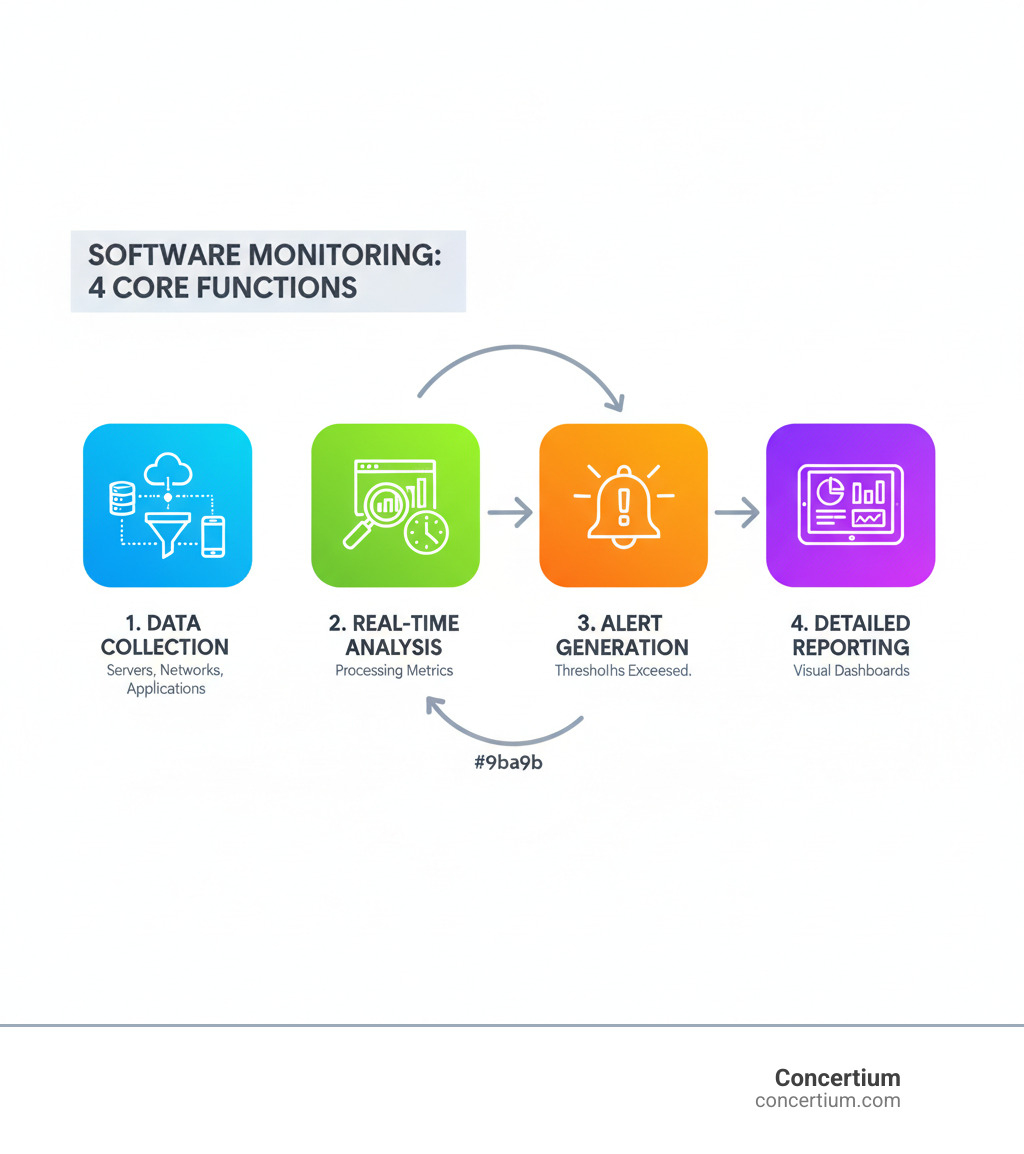
Quick software monitor tools terms:
Understanding Infrastructure Monitoring: Core Functions and Benefits
Think of software monitor tools as your infrastructure’s health guardians, watching over every component around the clock. Modern infrastructure monitoring has evolved far beyond simple “is it up or down” checks. Today’s tools provide comprehensive visibility into resource utilization, tracking everything from CPU usage and memory consumption to network bandwidth and storage capacity across data centers, cloud environments, or hybrid setups.
The real magic happens with proactive issue detection. Instead of waiting for users to report slow applications, monitoring tools spot trouble brewing—like a gradual memory leak or increasing response times—and alert your team before performance is impacted. This shift from reactive firefighting to proactive problem-solving can transform how your IT team operates.
Performance optimization becomes much easier when you have detailed insights into how your systems behave. These tools reveal bottlenecks, showing which database queries are dragging down performance or which network segments are congested. Armed with this data, you can make targeted improvements that deliver real results.
One of the most valuable capabilities is historical data analysis. Modern software monitor tools don’t just show you what’s happening right now; they build a comprehensive picture over time. This historical perspective enables data-driven capacity planning, helping you predict when you’ll need more resources and avoid the scramble of emergency upgrades.
The security benefits are equally important. Monitoring tools excel at spotting unusual patterns that might indicate trouble, such as sudden spikes in network traffic or unexpected login attempts. This capability feeds directly into comprehensive security strategies like Proactive Threat Hunting, creating multiple layers of protection.
Perhaps most importantly, effective monitoring dramatically reduces downtime. When systems do encounter issues, having detailed monitoring data means faster troubleshooting and resolution. Your team can quickly identify the root cause instead of spending precious time guessing where to look. The ultimate goal is maintaining availability status across your entire infrastructure. At Concertium, our Managed IT Infrastructure Services leverage these powerful monitoring capabilities to ensure our clients’ systems remain resilient, secure, and optimized for peak performance.
What to Look For: Key Features in Monitoring Software
When you’re shopping for software monitor tools, you want a solution that is alert, reliable, and can spot trouble before it becomes a crisis. The difference between a good monitoring solution and a great one often comes down to having the right features that make your life easier.
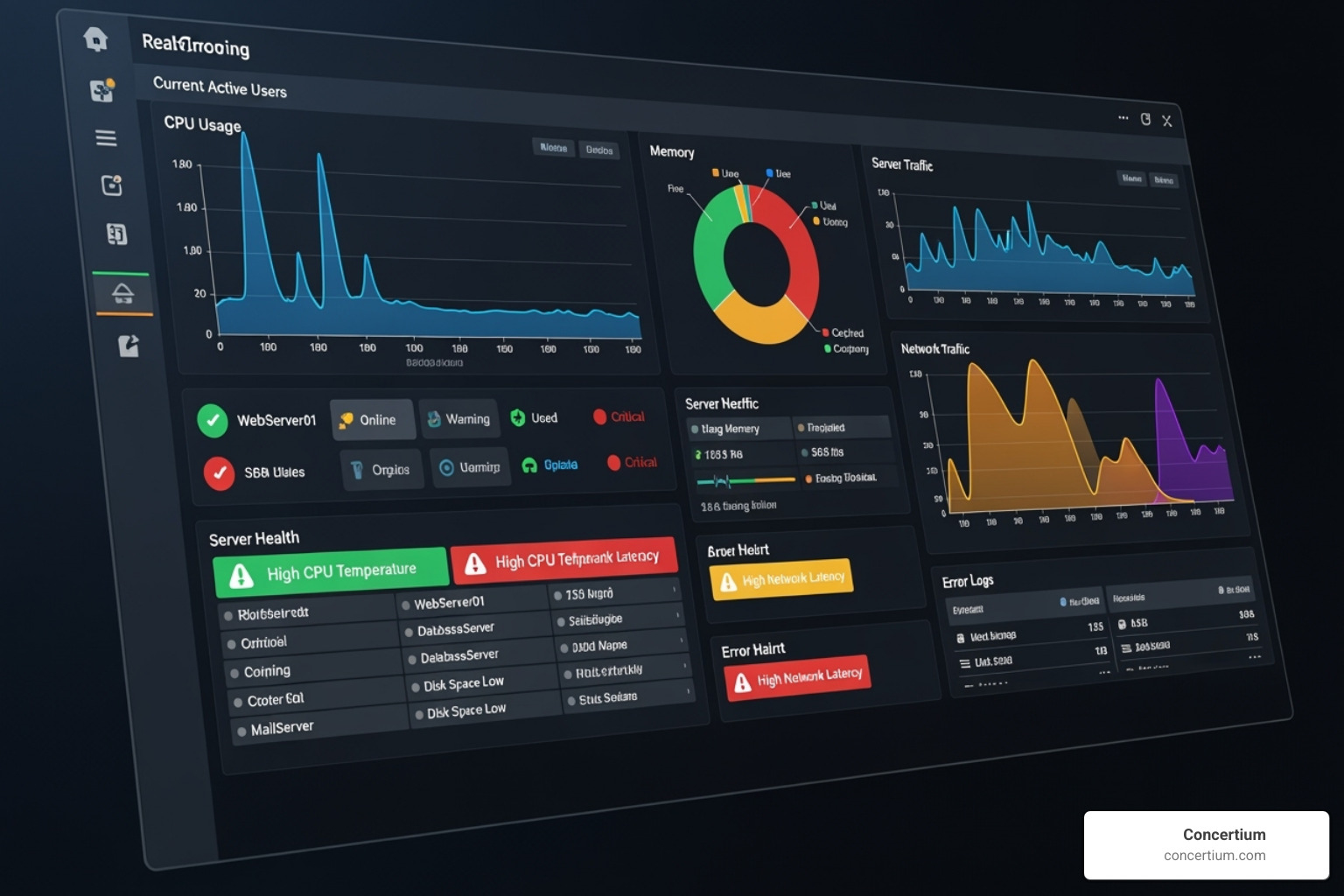
Real-time data collection forms the foundation of any effective monitoring solution. The best tools are constantly watching, ready to catch issues the moment they start brewing.
But raw data without context is just noise. That’s where customizable dashboards and visual displays become your best friend. These features transform overwhelming streams of data into clear, actionable insights, creating a “single pane of glass” view that shows exactly what matters to your team.
Configurable alerts and threshold-based notifications are where monitoring tools prove their worth. Effective solutions let you set precise thresholds for different metrics and immediately notify your team through their preferred channels when something crosses the line.
Scalability is essential for any growing business. Your monitoring solution needs to grow alongside your infrastructure without breaking a sweat, whether you’re adding new servers, expanding to the cloud, or deploying containers.
The real test of comprehensive software monitor tools comes down to broad component support. Your solution should effortlessly monitor servers (physical and virtual, Windows/Linux), network hardware (routers, switches), virtualization platforms, databases, container environments, and storage systems.
Integration capabilities tie everything together. The best monitoring tools connect seamlessly with your incident management platforms, ticketing systems, and other observability tools, creating streamlined workflows that help your team respond faster.
Root cause analysis features separate good tools from great ones. Instead of just telling you something’s broken, advanced solutions help you understand why it happened. For larger environments, advanced logging architecture is also critical for handling high volumes of log data while preserving its integrity.
These features work together to support your broader security strategy, contributing significantly to Advanced Observability in Cybersecurity initiatives that keep your organization protected and performing at its best.
Types of Software Monitor Tools: Finding Your Fit
The world of software monitor tools is vast, offering solutions for almost every need. Understanding the different categories is crucial for identifying the best fit for your organization’s infrastructure and operational requirements.
Open-Source vs. Commercial Software Monitor Tools
This is often one of the first decisions to make. Both open-source and commercial offerings have distinct advantages.
Open-Source Software Monitor Tools
These tools are popular in the FOSS (Free and Open Source Software) community.
- Pros:
- Cost-Effective: Often free of licensing fees, which is a major advantage for budget-conscious organizations.
- High Customizability: Open-source tools offer unparalleled flexibility. You can modify the code, integrate with virtually anything, and tailor them precisely to your environment.
- Community Support: A large, active community often provides extensive documentation, forums, and shared knowledge.
- Transparency: The code is open for inspection, which can be a security benefit.
- Cons:
- Steeper Learning Curve: Many open-source tools require a significant investment in time and expertise to set up and configure effectively.
- Self-Support: While communities are helpful, dedicated 24/7 support typically isn’t included, meaning your team is responsible for troubleshooting.
Commercial Software Monitor Tools
These are proprietary solutions offered by vendors, often with subscription-based pricing.
- Pros:
- All-in-One Platforms: Many commercial tools offer comprehensive, unified platforms that provide a “single pane of glass” for various monitoring needs.
- Dedicated Support: Vendors provide professional support, including onboarding and troubleshooting.
- Ease of Use: Often designed with user-friendly interfaces and out-of-the-box integrations, reducing the initial setup time.
- Advanced Features: May include sophisticated AI/ML capabilities and specialized integrations not readily available in open-source alternatives.
- Cons:
- Cost: Licensing fees can be substantial, often based on metrics like per-host or data volume.
- Vendor Lock-in: Switching providers can be complex and costly once deeply integrated.
- Less Customizability: While configurable, the underlying code is proprietary, limiting deep customization.
Here’s a quick comparison:
| Feature | Open-Source Tools | Commercial Tools |
|---|---|---|
| Cost | Free (licensing), but high investment in time/expertise | Subscription-based, significant licensing fees |
| Support | Community-driven; self-support required | Dedicated vendor support, SLAs |
| Customizability | Extremely high; code modification possible | Configurable, but limited core modification |
| Scalability | Highly scalable with proper expertise | Designed for enterprise scale, often out-of-the-box |
| Ease of Use | Often steeper learning curve | Generally user-friendly, less initial setup |
| Features | Comprehensive, but some advanced features may need custom work | Often all-in-one, with advanced AI/ML and integrations |

Specialized vs. All-in-One Platforms
Another important distinction is whether you need a specialized tool for a specific task or a broader platform that covers many aspects of monitoring.
- Specialized Tools: These software monitor tools excel in a particular domain, such as real-time file system monitoring or hardware sensor tracking.
- Pros: Deep functionality, highly optimized for their niche, often lightweight.
- Cons: Require multiple tools to cover a full IT environment; integration can be complex.
- All-in-One Platforms: These solutions aim to provide a unified view across infrastructure, applications, and logs.
- Pros: Simplified management, correlated data, reduced tool sprawl, and a “single pane of glass” for comprehensive visibility.
- Cons: Can be more expensive and may offer less depth in specific areas compared to specialized tools.
When choosing, consider your team’s expertise, whether a unified dashboard is critical, the complexity of your needs, and your budget. This decision often comes down to balancing complexity, cost, and the specific needs of your Comprehensive Guide to IT Asset Management.
Clarifying the Scope: Infrastructure vs. Other Software Monitor Tools
It’s vital to differentiate between types of software monitor tools to ensure you’re using the right one for the job.
- Infrastructure Monitoring: Focuses on the underlying IT components—servers, networks, storage, and containers. It’s about the health and resource utilization of the platform that supports everything else.
- Log Monitoring Tools: These tools are designed to collect, centralize, analyze, and alert on system and application logs. They help you understand why something happened by sifting through vast amounts of log data.
- Employee Monitoring Software: This category is entirely distinct. These tools track employee activity, measure productivity, and ensure data security within the workforce. They focus on human activity, not system health.
- Network Monitoring Tools: While often part of broader infrastructure monitoring, dedicated network monitoring focuses specifically on network devices, traffic, and bandwidth. This is a core part of our Network Security Monitoring Service.
The Future of Monitoring: AI, Automation, and Emerging Trends
The landscape of software monitor tools is a dynamic field rapidly evolving with technological advancements. Two powerful forces are reshaping modern monitoring: Artificial Intelligence (AI) and automation. These aren’t just buzzwords; they’re fundamentally changing how we manage and secure our IT environments.

Traditional monitoring often relied on static thresholds. If CPU usage hit 90%, you’d get an alert. But what if 90% is normal during peak hours, or a gradual increase from 30% to 70% is the real problem? This is where AI and machine learning are revolutionizing the approach.
AIOps (Artificial Intelligence for IT Operations) platforms leverage machine learning to analyze vast amounts of operational data to identify patterns, predict issues, and even suggest resolutions.
The shift toward predictive analytics is one of the most exciting developments. Instead of reacting to failures, AI-powered monitoring can predict them by analyzing historical data and learning from patterns. This allows teams to intervene before a problem impacts users.
Anomaly detection showcases AI’s strength in understanding context. AI excels at recognizing what’s “normal” for each unique system and then flagging anything that deviates, even if it’s below a traditional alert threshold. This can help identify subtle issues or even security breaches.
Automated root cause analysis is changing how we troubleshoot. AI and machine learning can correlate events across different systems, automatically identify dependencies, and pinpoint the most likely cause of a problem. This dramatically reduces resolution time and lets teams focus on solutions.
The broader shift to observability represents a change in philosophy from knowing if something is broken to understanding why. Our AI Improved Advanced Observability services exemplify this evolution, providing deeper insights that traditional monitoring cannot offer.
Looking ahead, the integration of security capabilities directly into monitoring platforms is a significant trend. The lines between monitoring and security are blurring, enabling Automated Threat Detection & Eradication within the same tools used for performance monitoring. These advances highlight a clear shift toward more intelligent, proactive, and integrated monitoring solutions.
Making the Right Choice: A Practical Selection Guide
Choosing the right software monitor tools doesn’t have to be overwhelming. With a thoughtful approach, you can steer this complex landscape and find a solution that fits your needs.
Assessing Needs: Scale, Complexity, and Team Skills
Before diving into feature comparisons, take an honest look at your environment.
- Scale: Are you monitoring a handful of servers or a sprawling cloud-native architecture with hundreds of microservices? Your tool must be able to handle your current and future scale.
- Complexity: A diverse mix of operating systems, databases, and cloud providers requires a tool with broad component support.
- Team Skills: Do you have engineers who can manage a highly customizable open-source tool, or do you need a solution that works out of the box? The learning curve and required expertise are critical factors.
Cost Considerations and Pricing Models
Even the best tool won’t help if it breaks the budget. Common pricing models include:
- Per-host or per-device: You pay for each server or network device you monitor. This is simple to calculate in stable environments.
- Per-sensor: These models can add up quickly, as each metric (CPU load, disk space, etc.) may count as a separate billable sensor.
- Data ingestion: You pay based on the volume of data you send and store. This is flexible but can be unpredictable during traffic spikes.
- Subscription-based: These models bundle features into packages, often with annual billing. Many tools also offer free tiers that can be perfect for smaller setups.
Remember to factor in the total cost of ownership, including implementation time, maintenance, and the personnel needed to manage the tool.
Implementation Pros and Cons of Comprehensive Solutions
Rolling out comprehensive software monitor tools has clear benefits but also some challenges.
- Pros: Increased productivity, improved security, easier compliance, and operational transparency that enables data-driven decisions.
- Cons: Solutions can feel overwhelming at first, consume system resources, and lead to alert fatigue if poorly configured. Managing the large volume of data generated also requires careful planning.
Integration Capabilities
No monitoring tool should be an island. The best solutions integrate with your existing ecosystem, including incident management systems, configuration databases, logging platforms, and SIEM systems. Deep integration with cloud provider APIs (AWS, Azure, Google Cloud) is also essential for modern environments.
The right monitoring solution becomes part of your operational fabric. For organizations looking for guidance, exploring our Choosing Right Managed IT Solutions services can provide valuable expertise and support.
Frequently Asked Questions about Software Monitoring
When it comes to software monitor tools, many businesses have similar questions. Here are straightforward answers to the most common ones.
Secure and Optimize Your Network
The right software monitor tools will give you the visibility and control you need to keep everything running smoothly. Monitoring isn’t just about preventing downtime; it’s about optimizing performance, ensuring security, and making data-driven decisions that drive your business forward.
For businesses looking to take their monitoring strategy to the next level, partnering with experts can make all the difference. Concertium’s Managed Cybersecurity Services integrate robust monitoring with comprehensive security expertise, providing a holistic approach that protects and optimizes your digital assets.
Your network deserves more than basic uptime monitoring. It deserves intelligent, proactive oversight that grows with your business and adapts to emerging threats. To ensure your network is always performing at its peak while staying secure, explore our Network Monitoring Management services and find how the right monitoring strategy can transform your IT operations.